

Between a submitted result and a published one sits verification: a second person looks at the number and confirms it. Most labs want exactly that, some want more for critical parameters. SENAITE supports both, but three settings decide whether the second person really is a second person, and one of them has a default that surprises most labs.
The basic flow
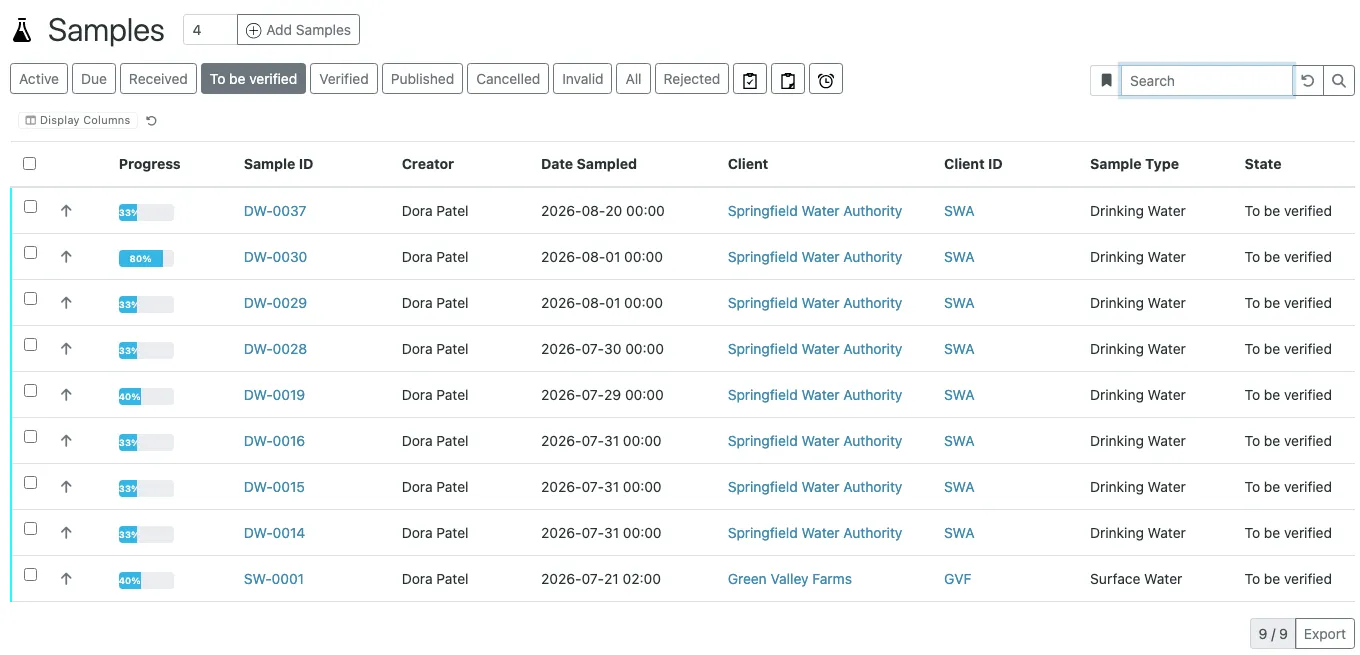
An analyst enters a result and submits it. The analysis moves to
To be verified. Users with the Verifier or LabManager role
(and site administrators with Manager) can now verify it. From
submission on, the result field is read-only. A wrong result is
retracted or sent to a retest while it waits for verification;
both create a new analysis and leave the original with its
history in place. Once verified, the analysis itself offers no
way back. A correction then goes through invalidating the sample,
which only lab managers can do.
When every analysis of a sample is verified, the sample moves to
verified by itself. If you want a separate sign-off on sample
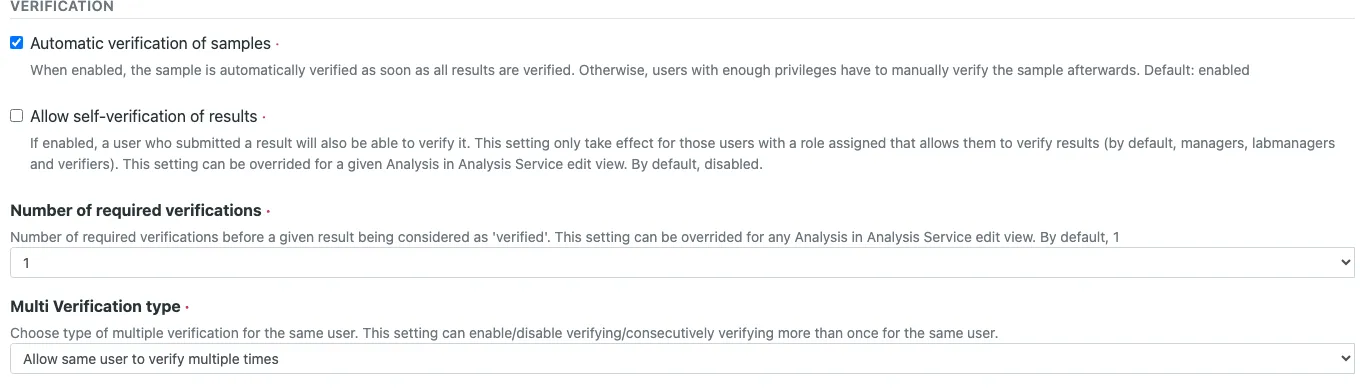
level, turn off Automatic verification of samples in the
setup.
Setting 1: self-verification
Allow self-verification of results, in the setup on the
Analyses tab, decides whether the user who submitted a result
may also verify it. It is off by default. With it off, the
Verify button simply does not appear for the submitter, even
if that user is a lab manager.
Each Analysis Service can override the global value with
Self-verification of results: System default, Yes or
No. A typical use is a high-volume screening service that a
single analyst runs and verifies on a night shift, while the
rest of the lab keeps the four-eyes principle.
Check this setting on your production system once a year. It is the kind of switch that gets turned on for a busy week and never turned off again.
Setting 2: number of required verifications
Number of required verifications sets how many verifications a
result needs before it counts as verified: 1, 2, 3 or 4. The
global value lives in the setup on the Analyses tab; each
Analysis Service can override it on its Analysis tab, or leave
it at System default.
With more than one required verification, each verification but
the last keeps the analysis in To be verified and records the
verifier. The last one moves it to verified.
Setting 3: who may verify more than once
Multi Verification type, again in the setup on the Analyses
tab, decides whether the same user may contribute more than one
of the required verifications. It has three options:
Allow same user to verify multiple timesAllow same user to verify multiple times, but not consecutivelyDisable multi-verification for the same user
The default is the first. With two required verifications and
the default setting, one verifier can click Verify twice and
the result is verified by one person. If the reason for a
second level is a second pair of eyes, set this to Disable multi-verification for the same user. The middle option allows
patterns like A, B, A on a three-level service, which is useful
when the senior reviewer should see the result first and last.
This setting is global; there is no per-service override.
A worked example
A lab wants two independent verifications for lead in drinking water, one for everything else.
- Setup,
Analysestab:Number of required verifications= 1,Allow self-verification of resultsoff,Multi Verification type=Disable multi-verification for the same user. - Analysis Service “Lead”:
Number of required verifications= 2. - Analyst Anna submits a lead result. She sees no
Verifybutton. - Verifier Ben verifies. The analysis stays in
To be verified, now with one of two verifications done. Ben’s button disappears for this result. - Lab manager Clara verifies. The analysis is
verified, and if all other analyses of the sample are verified too, so is the sample.
If Ben finds a problem instead, the Verifier role alone does
not let him act on it: Retract is open to analysts and lab
managers, Retest to lab managers. He hands it back to Anna,
who retracts, or to Clara, who can do either. In both cases a
new analysis is created for the new result, and its
verifications start from zero. Decide in advance who does this,
so a doubtful result does not sit in the queue.
Details that matter in practice
Calculated results wait for their inputs. An analysis whose result is calculated from other analyses can only be verified once those are verified or can be verified in the same step.
Service settings are copied into each analysis when the sample
is registered. A service set to a fixed number keeps that number
for its existing samples even if you change it later. A service
left at System default follows the setup, including for
samples that are already registered.
Every verification is recorded in the review history of the analysis with user and time. The report is a different matter: the default templates sign with the managers of the departments the reported analyses belong to, using the signature image of their lab contact, and add the user who published. The people who verified are not named on the report. If your quality system expects the verifiers there, plan for an adapted report template.
When more than one level is worth it
More levels slow publication down, so reserve them for results where an error has consequences beyond a corrected report: results that go to an authority, release decisions, and methods still in validation, where the second reviewer also trains the first. Routine internal QC and high-volume screening are usually better served by one verification and a good specification with shoulders that draws attention to the results that need it.
For the broader picture of what SENAITE records and where an audit needs more than the software, see SENAITE and lab compliance.